
Local broker testing
Test the broker locally.
To test the broker developed from the template locally, follow these steps:
-
In the
.envfile in the broker directory, describe the environment variables:BROKER_PROVIDER_CLIENT_ID— the broker name used to access the SaaS application.BROKER_PROVIDER_SECRET— the password used by the broker to access the SaaS application.BROKER_PROVIDER_URL— the URL of the SaaS application.BROKER_USERNAME— the store name used for service-to-service interaction with the broker.BROKER_PASSWORD— the store password used for service-to-service interaction with the broker.
-
In the
.envfile in the broker directory, specify the values of the variables for accessing the broker's database. -
To install the Python libraries, run the command:
$ pip install -r requirements/prod.txt -
To start the broker, run the command:
$ gunicorn app.main:app --log-file - --workers ${UVICORN_WORKERS:-1} --worker-class uvicorn.workers.UvicornWorker --bind 0.0.0.0:${BROKER_PORT:-8000} --timeout ${WORKER_TIMEOUT:-90}Example of the response to the broker startup commandINFO: Started server process [34934]INFO: Waiting for application startup.INFO: Application startup complete.INFO: Uvicorn running on http://0.0.0.0:8000 (Press CTRL+C to quit)After the broker is installed, the API will be available in the swagger UI editor at
http://0.0.0.0:8000/docs(figure 1, figure 2).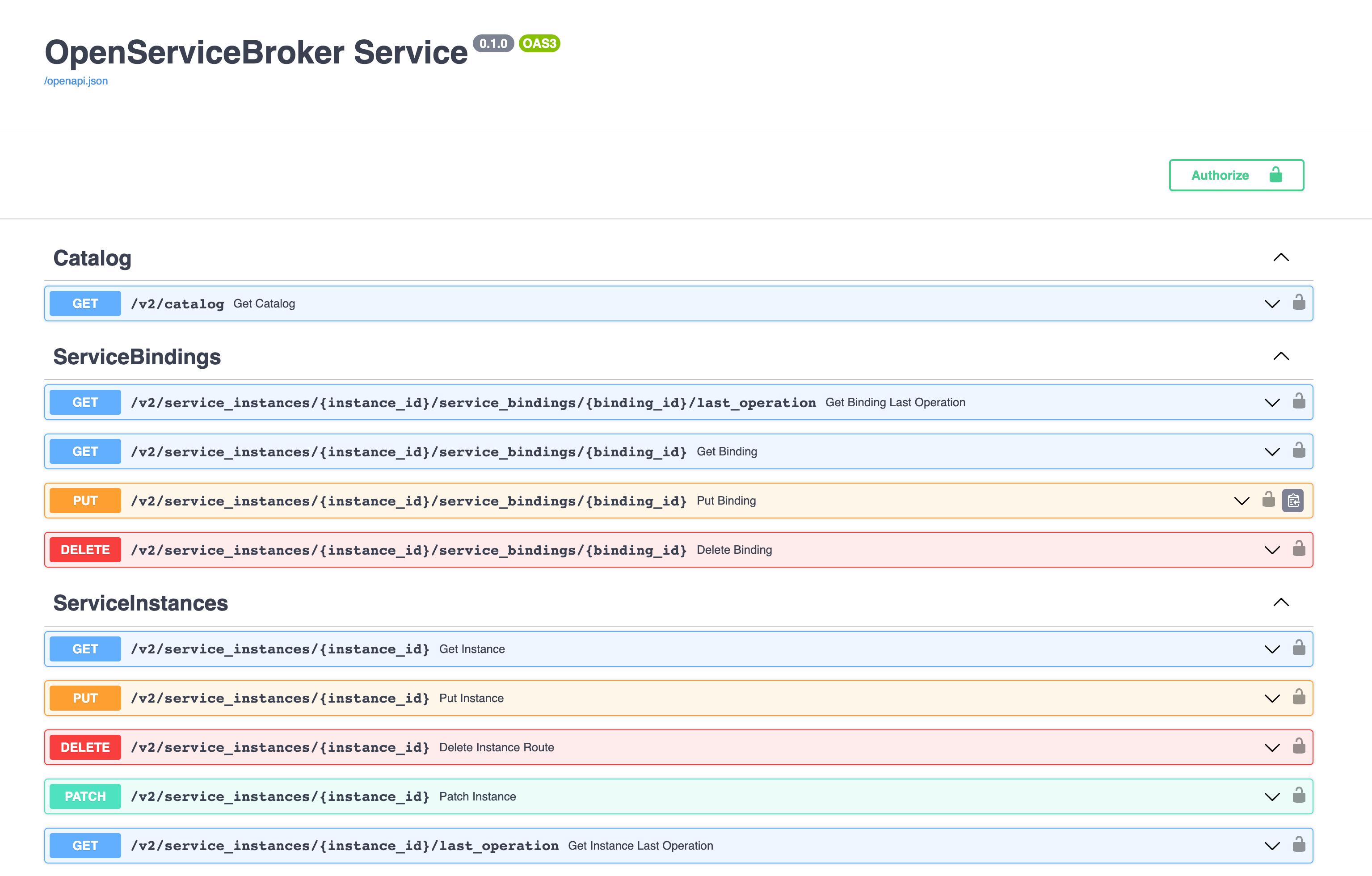 Figure 1 — Example of the swagger UI API
 Figure 2 — Example of the swagger UI API containing requests for postpaid billing options
-
Execute the requests described in the swagger UI API.
In the requests, use:
- The value of the VK OSB protocol version
x-broker-api-version(for example,"0.1"). - The
BROKER_USERNAMEvalue from the.envfile. - The
BROKER_PASSWORDvalue from the.envfile.
- The value of the VK OSB protocol version
Was this article helpful?